
Evaluation & commercial enquiry
Scope the evaluation before choosing a plan.
Start with the workflow you want to improve. Confirm what is available, what needs configuration and what would need additional development.

How an evaluation runs
Four steps. Nothing assumed.
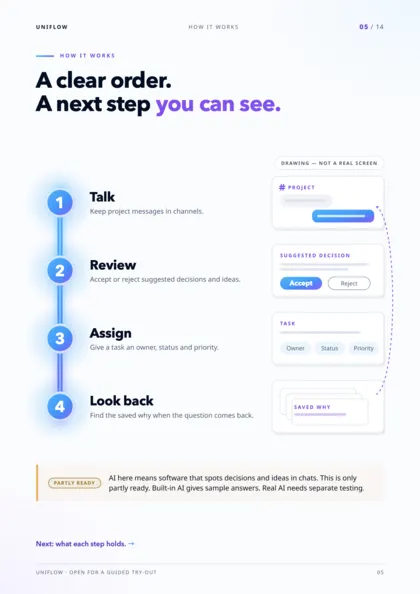
- 1Send an enquiry
One workflow, the people who handle it and what you need to understand.
- 2Focused walkthrough
We show the relevant screens with sample records, and label what is sample.
- 3Written scope
Available, configured and unfinished behaviour, in writing.
- 4Your decision
Price and terms in writing before any paid engagement.
The first conversation
Tell us who will use it and what they do today.
Tell us who will use the product, what they do today and the workflow you want to explore. We can use those details to focus the evaluation.
Pricing
No public price is listed here. Ask for a written scope and price for your requirements before making a purchase decision.
What to ask for in the scope
- The exact features and screens to be demonstrated.
- A clear list of sample, configured and unfinished behaviour.
- Any setup, hosting or external-provider requirements.
- What support, data handling and responsibilities would apply.
- Written costs and commercial terms before a paid engagement.
No purchase, production access or delivery timeline is implied by an enquiry.
Availability: Available for guided evaluation. Some AI and advanced workspace screens use sample behaviour; external AI providers need configuration. A demo is not proof of production readiness. Check what works today.

Brochure · Digital edition · October 2026
Take the whole story with you.
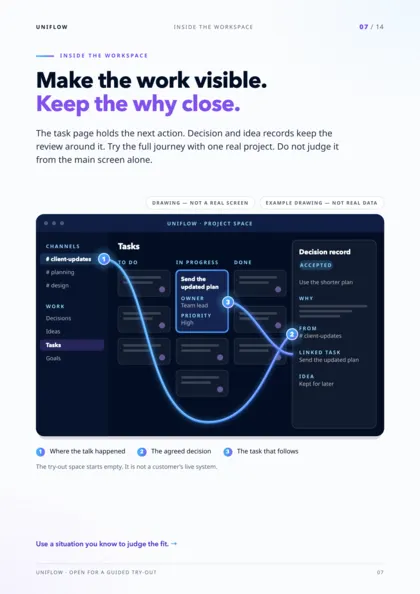
Fourteen pages, one job each: the problem, the four-stage workflow, the actual interface, fair comparisons, the system picture and the evidence boundary. Useful to share with the people who will judge fit.
- 14 pages · 7.4 MB PDF
- Preview every page before you download
Next step
Bring one real workflow question.
Evaluate one active project with your team. We can use that starting point to assess fit, show the relevant interface and make the remaining work clear.
Start with a question, not a commitment. Use sample or anonymised information.