

A handover should not need five people to explain the last decision
A practical project handover checklist for leads: what to record, which decisions to confirm and how to pass on the context behind open tasks and goals.
Connected knowledge
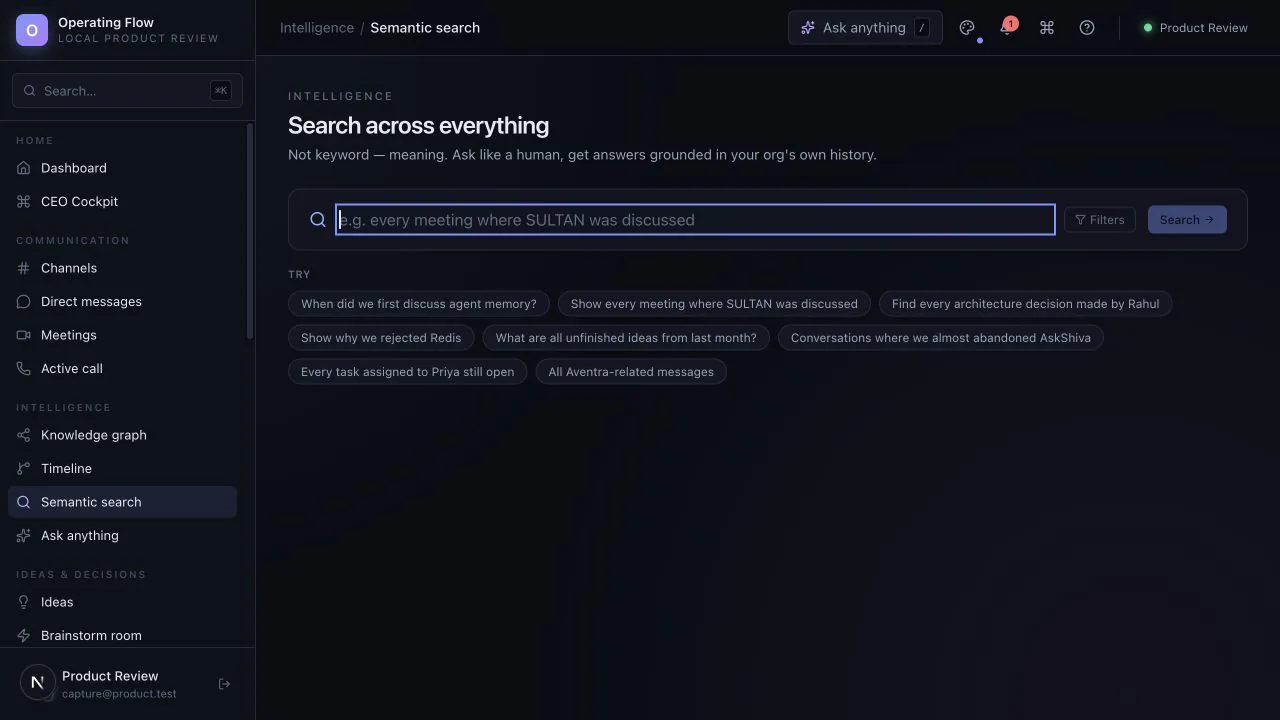
Evaluate retrieval across connected records and the relationships between them.

What to explore
Every item carries the status from the product review, so you know whether you are looking at working behaviour, a partial path or sample data.
For teams that regularly ask, “Why did we decide this?”
See which records are available to search, and how they relate to each other.
Ask about something you already know the answer to, then check what comes back. Needs configured providers.
Follow an answer back to the message or record it came from.
The current graph screen uses hand-authored sample nodes. Treat it as a concept preview, not a live map of your organisation.
Ask to see the starting record, the action taken and the resulting state. Check what is saved, what uses sample data and what depends on another service.
Availability for this capability: Search and ask need evaluation with configured providers. The visible knowledge-map screen is a sample visual, not a live map of your organisation. Check what works today.
Keep exploring
Next step
Evaluate one active project with your team. We can use that starting point to assess fit, show the relevant interface and make the remaining work clear.
Start with a question, not a commitment. Use sample or anonymised information.

Bring one workflow question.
Start with a question, not a commitment.
Request a guided evaluationWatch the walkthroughDownload the brochureRead the FAQs