

Why AI-proposed decisions should be reviewed, not auto-committed
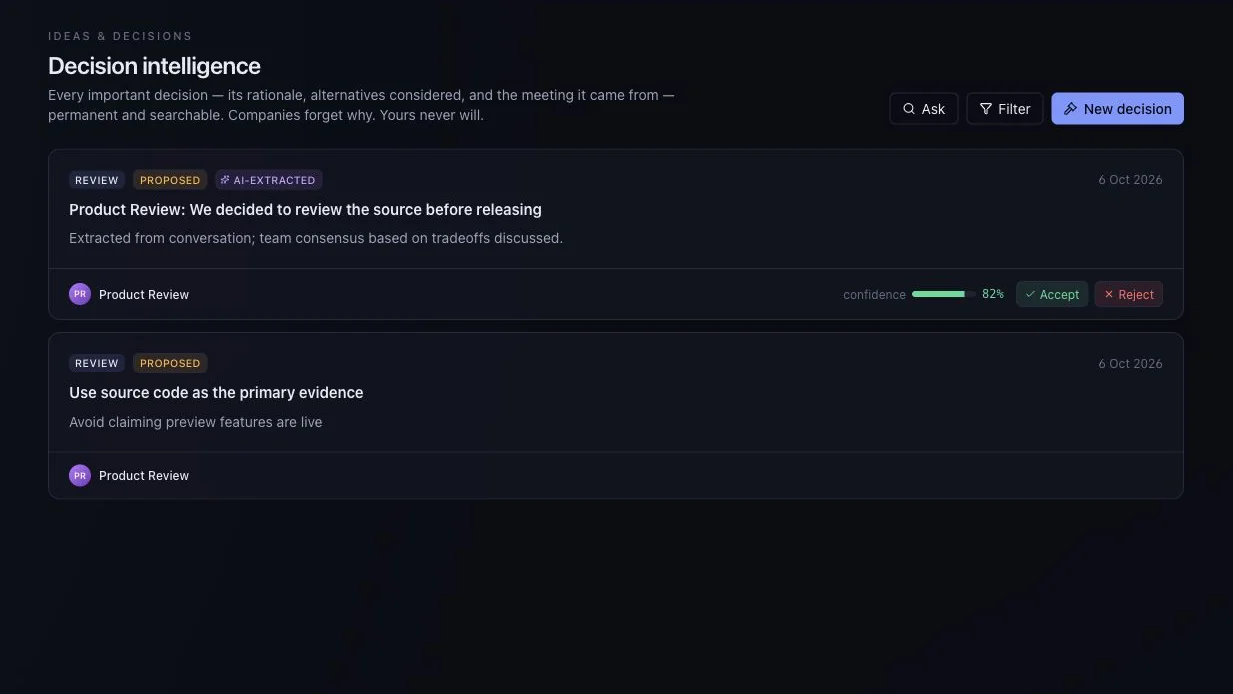
An AI meeting decisions review step keeps people in charge. Why UniFlow asks teams to accept or reject proposed decisions before they become work.
Decisions and tasks
Review decisions, keep ideas and track the work that follows.

What to explore
Every item carries the status from the product review, so you know whether you are looking at working behaviour, a partial path or sample data.
For the moment after the discussion, when someone needs to take responsibility.
A proposal is not an agreement until someone reviews it. Nothing is committed automatically.
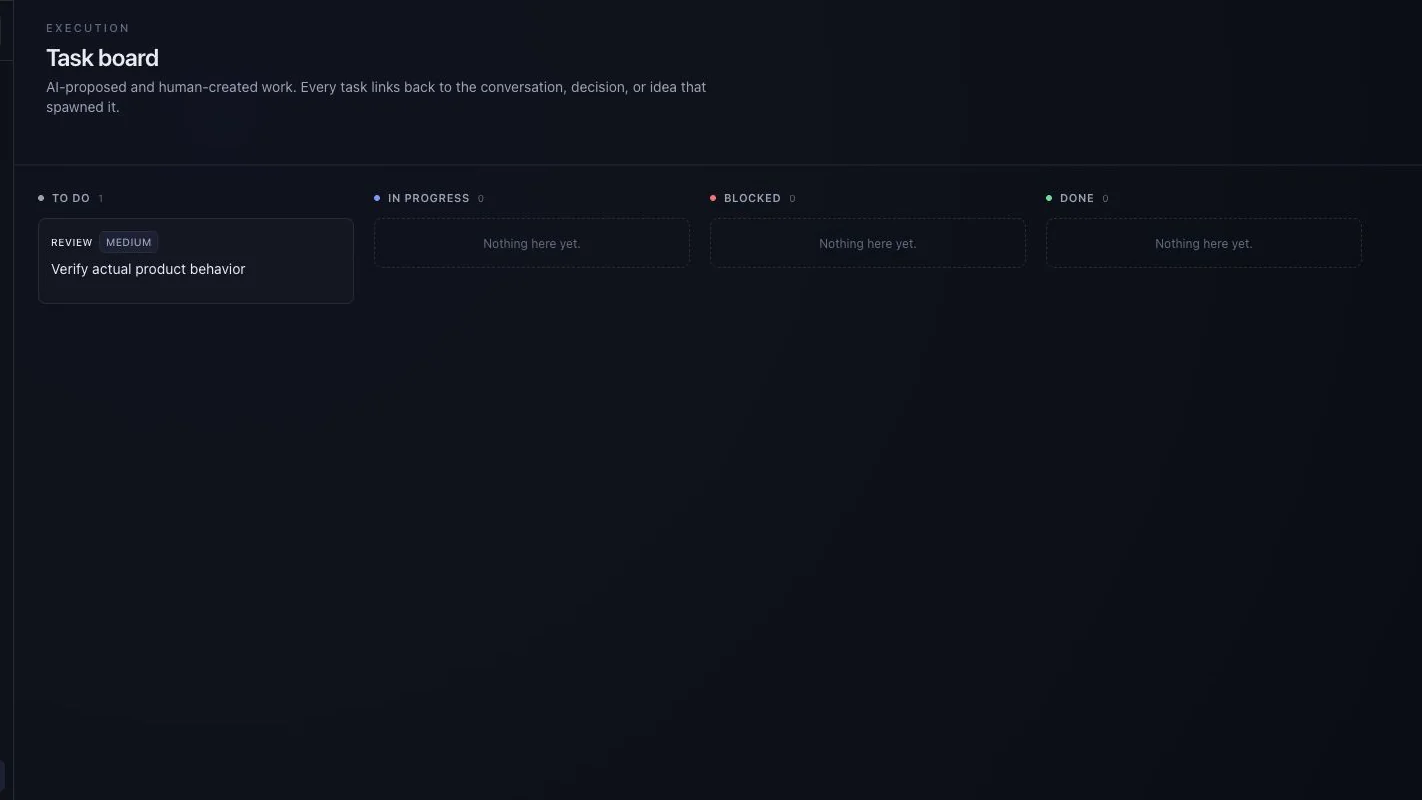
Keep an idea visible, then move it into a task when the team is ready to act on it.
Give the next step an owner and track it through to done.
In the default evaluation, proposals come from a deterministic sample provider. A real provider must be configured and checked separately.
Ask to see the starting record, the action taken and the resulting state. Check what is saved, what uses sample data and what depends on another service.
Availability for this capability: AI-generated proposals in the default demo come from a deterministic sample provider. Human review is still needed. Check what works today.
Keep exploring
Next step
Evaluate one active project with your team. We can use that starting point to assess fit, show the relevant interface and make the remaining work clear.
Start with a question, not a commitment. Use sample or anonymised information.

Bring one workflow question.
Start with a question, not a commitment.
Request a guided evaluationWatch the walkthroughDownload the brochureRead the FAQs