

The team discussed it. Where did the decision go?
Lost decisions in team chat cost more than time. See why agreed points slip away and how a reviewed decision record keeps the why next to the work.
Team conversations
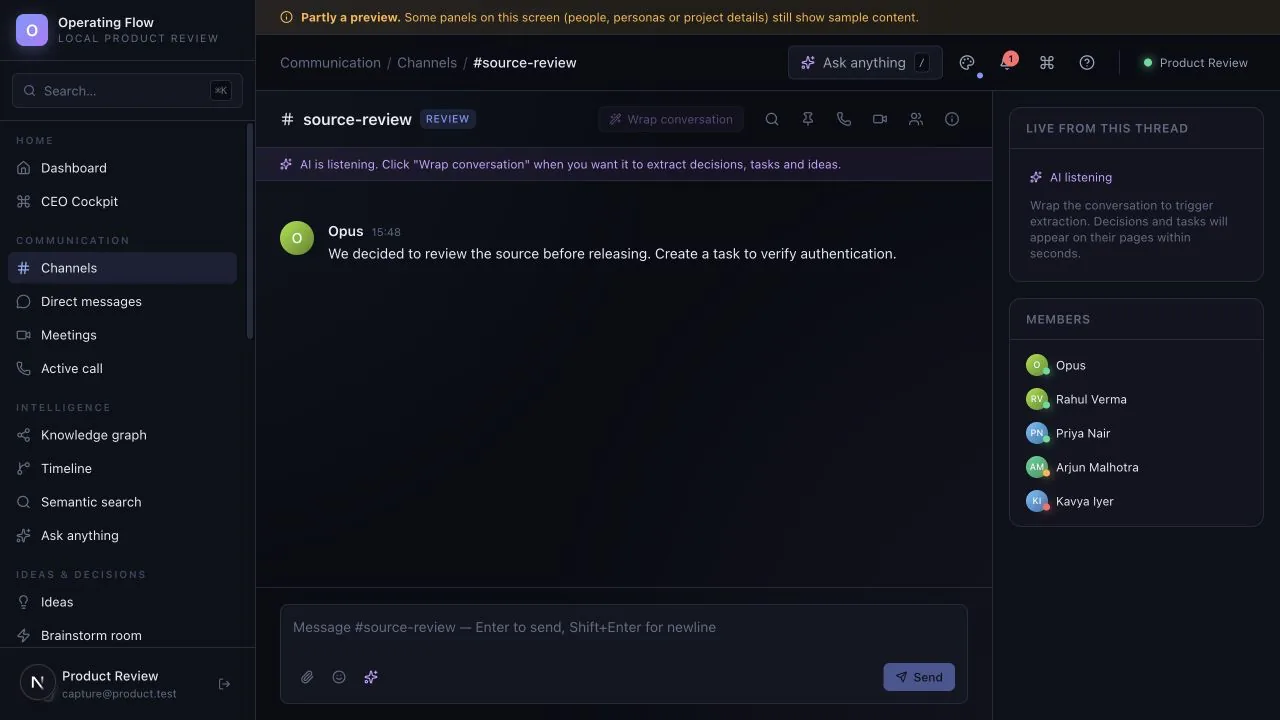
Create channels, keep message history and follow replies without moving the conversation into a separate document.

What to explore
Every item carries the status from the product review, so you know whether you are looking at working behaviour, a partial path or sample data.
For internal coordination, project discussions and shared working context.
Group the discussion for a project, a client or a recurring question so it has one place to live.
Messages are stored with the channel, so the history is there when someone returns to it later.
Presence and live events show who is around and what changed while you were away.
Meeting records and lifecycle actions exist. Live video or audio meeting media has not been verified.
Ask to see the starting record, the action taken and the resulting state. Check what is saved, what uses sample data and what depends on another service.
Availability for this capability: Meeting records exist, but a verified live video or audio meeting service is not part of this evaluation. Check what works today.
Keep exploring
Next step
Evaluate one active project with your team. We can use that starting point to assess fit, show the relevant interface and make the remaining work clear.
Start with a question, not a commitment. Use sample or anonymised information.

Bring one workflow question.
Start with a question, not a commitment.
Request a guided evaluationWatch the walkthroughDownload the brochureRead the FAQs