
How it works
Start with one workflow. Follow it through.
A useful walkthrough should show a complete journey and make the gaps clear. Here is the path to explore with UniFlow.

Step 1 of 4
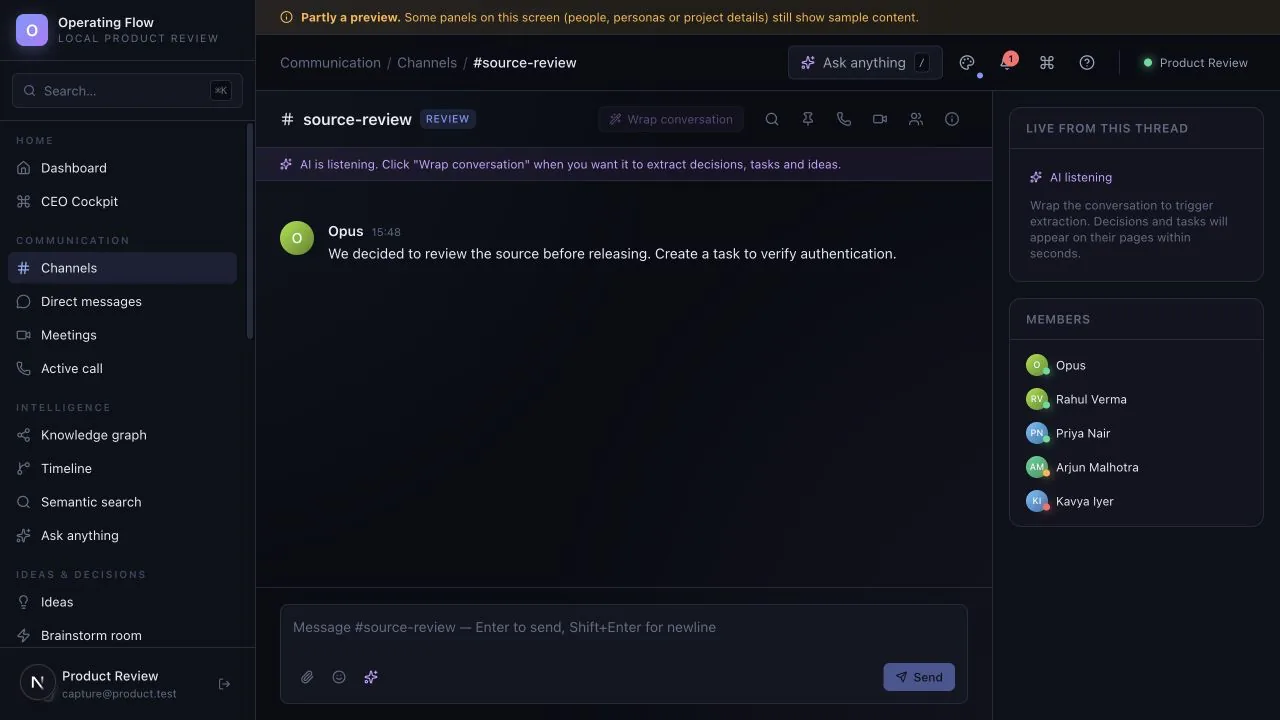
Start with the conversation
Create a channel for a project or shared topic. Keep the messages and discussion history together.
Implemented
What to check: Messages are stored with the channel and can be found again later.
Step 2 of 4
Review what matters
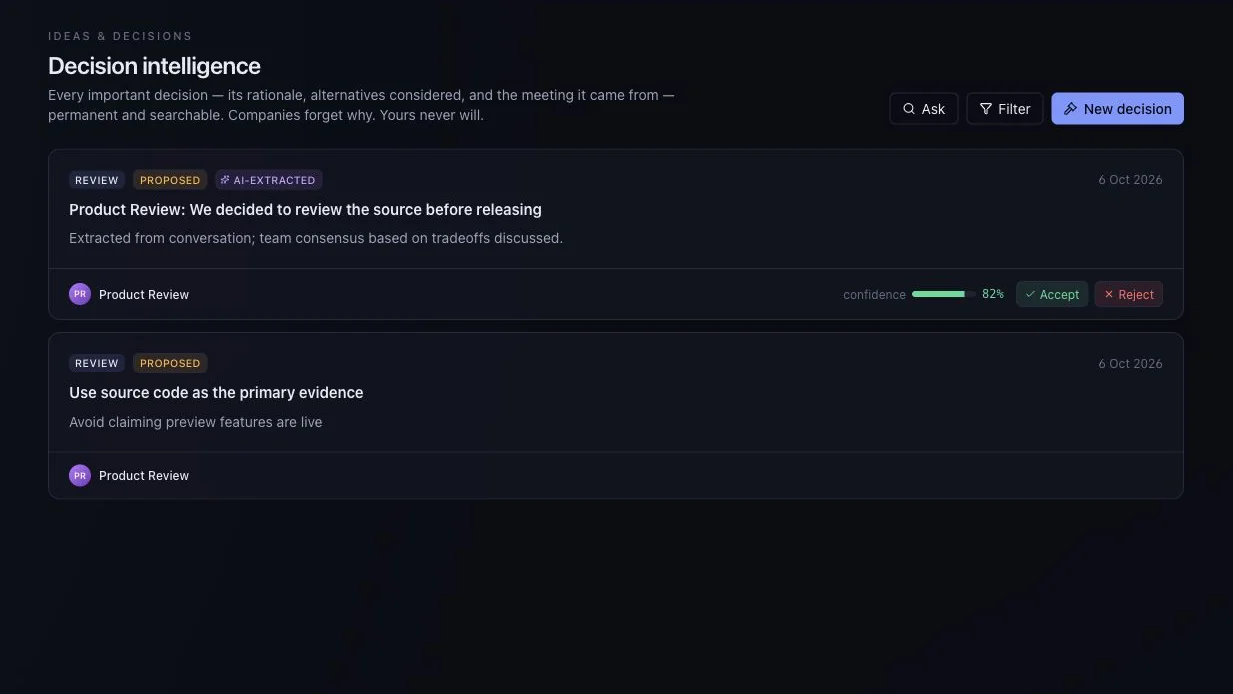
The conversation-processing path can propose structured insights. In the current evaluation, this uses a sample AI provider unless a real provider is configured. Review proposed decisions and ideas before acting.
Review: implemented · AI proposals: sample
What to check: Nothing is committed automatically — a person accepts or rejects each proposal.
Step 3 of 4
Move the work forward
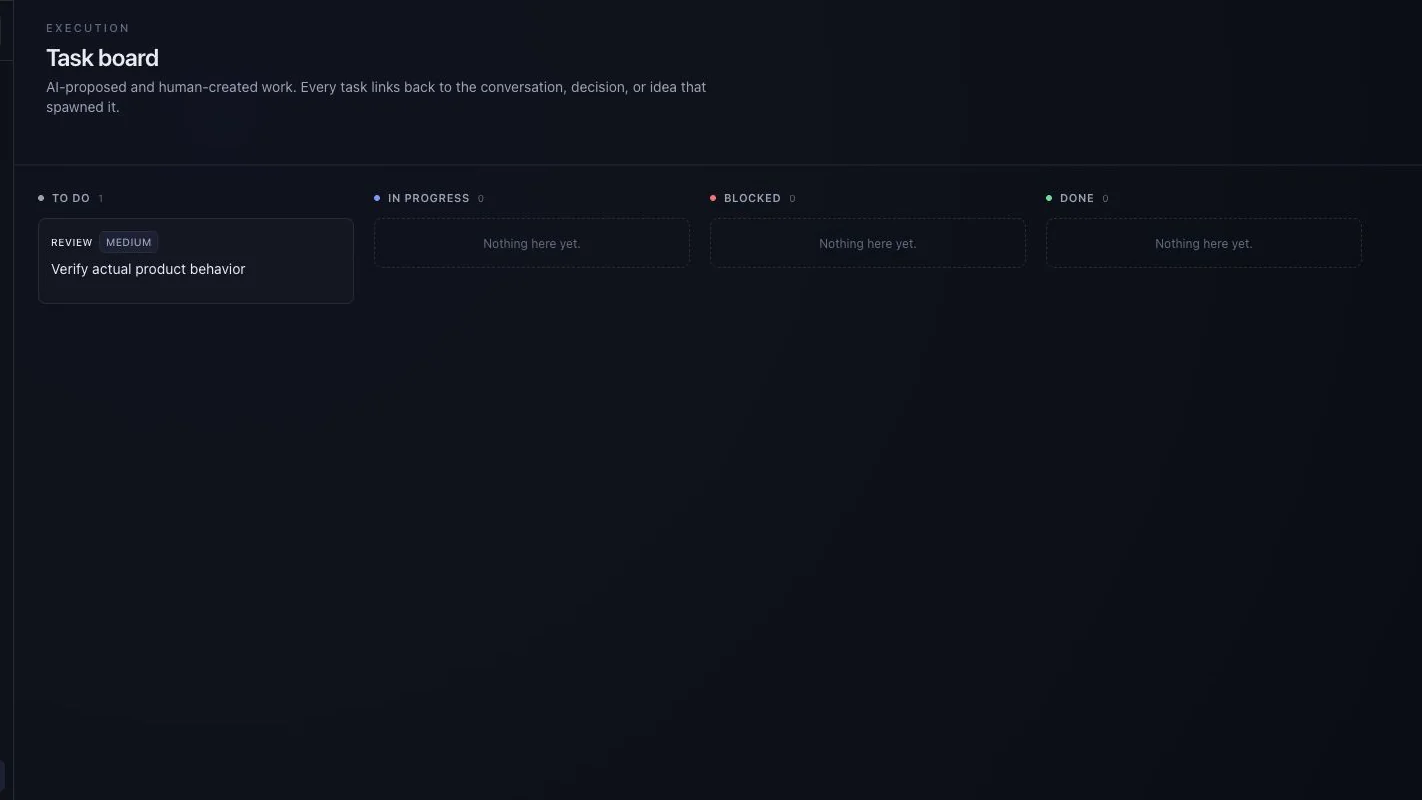
Create or update tasks, choose an owner and priority, and track progress alongside project goals.
Implemented
What to check: Owner, status and priority are explicit fields, not a line in a chat.
Step 4 of 4
Keep useful context
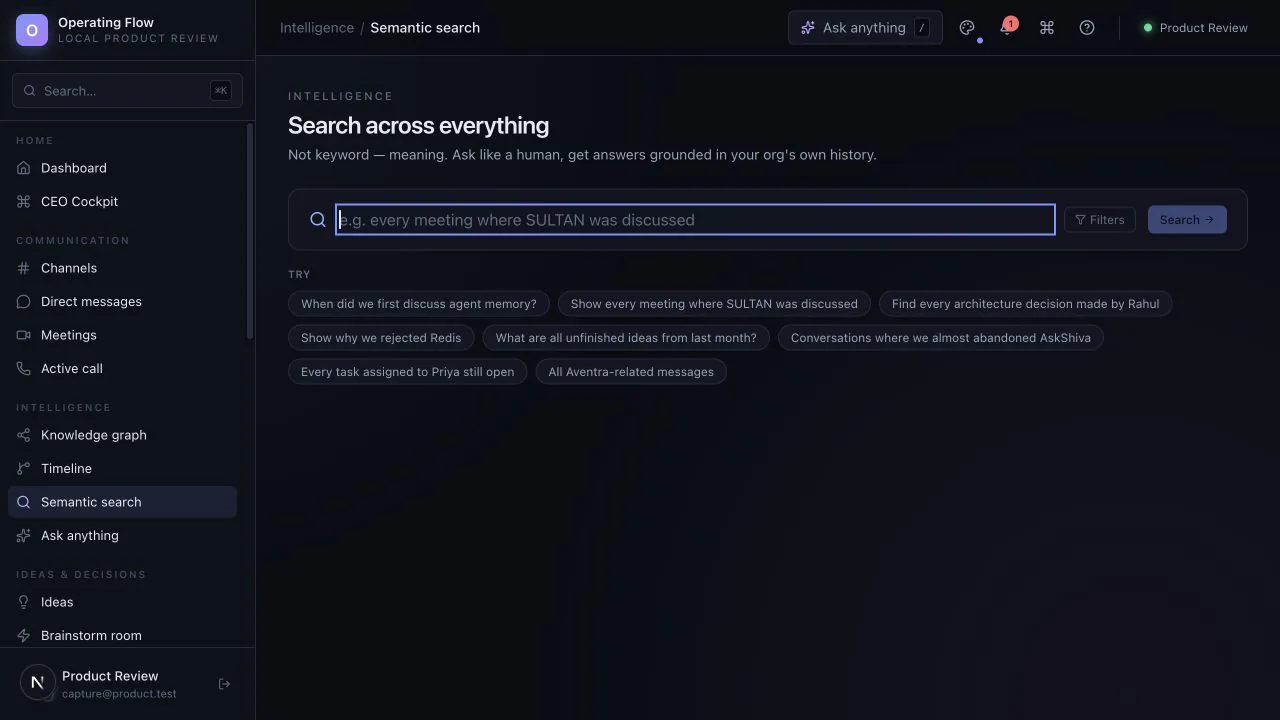
Return to earlier messages and reviewed records. Evaluate connected search with your own examples before depending on AI answers.
Partial — needs configured providers
What to check: Test with questions you already know the answer to.
Bring this to the conversation
One anonymised example of the work, the people who handle it and the result you need. Avoid passwords, account keys, private customer records or employee details.
Leave with a clearer decision
Ask which steps work today, which depend on setup, and which are still product direction. Agree a written evaluation scope before considering a live rollout.
Availability: Available for guided evaluation. Some AI and advanced workspace screens use sample behaviour; external AI providers need configuration. A demo is not proof of production readiness. Check what works today.
Next step
Bring one real workflow question.
Evaluate one active project with your team. We can use that starting point to assess fit, show the relevant interface and make the remaining work clear.
Start with a question, not a commitment. Use sample or anonymised information.